AlcoLog 2.0 is the biggest update since launch. Until now, AlcoLog was for people cutting down. With 2.0 it is also for people who want to stop: one app, two modes. It has been out on the App Store for iPhone and Apple Watch since September 25, 2026. The Android and Wear OS version, with everything in this post, follows in the first week of October.
# Sober Mode
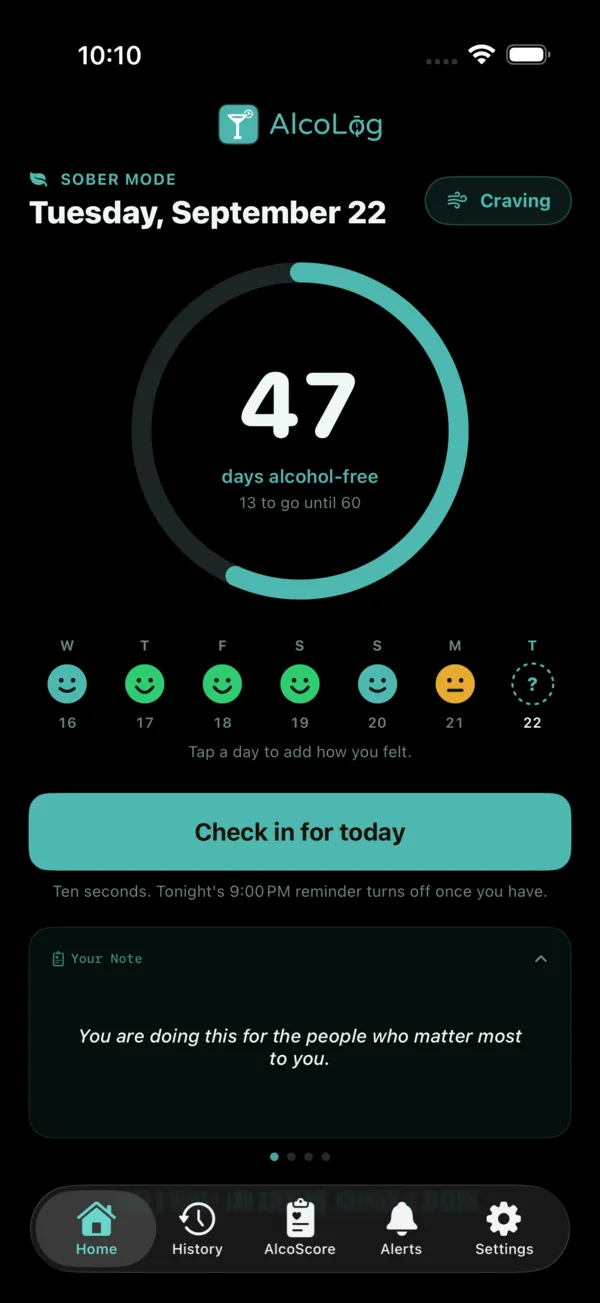
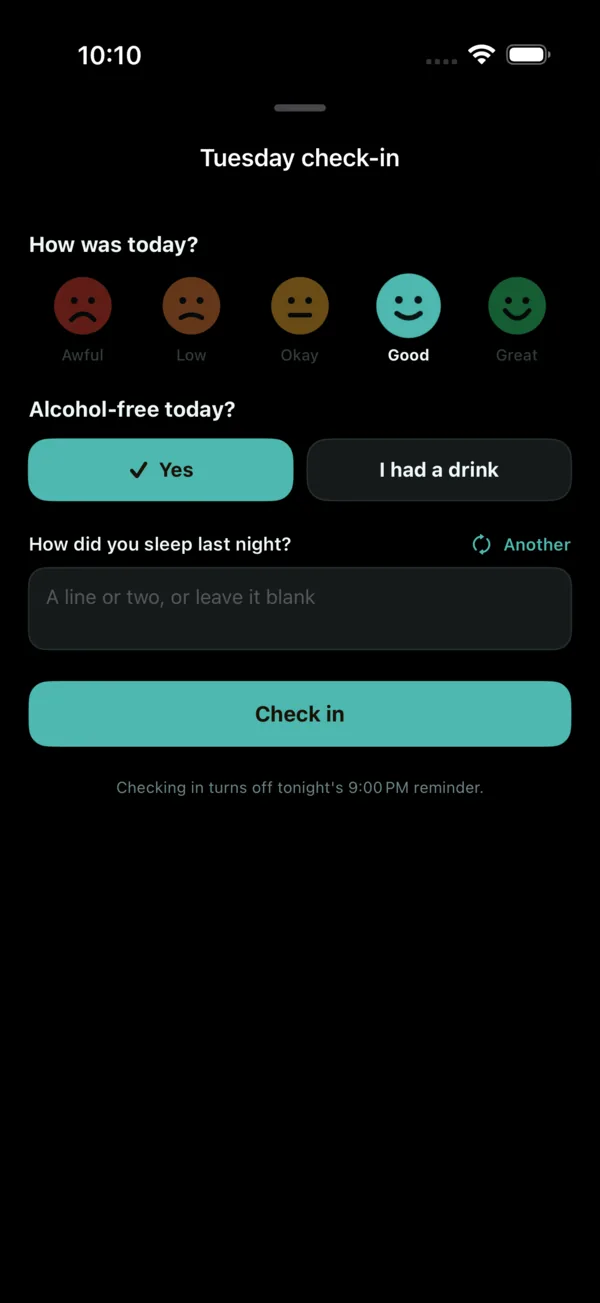
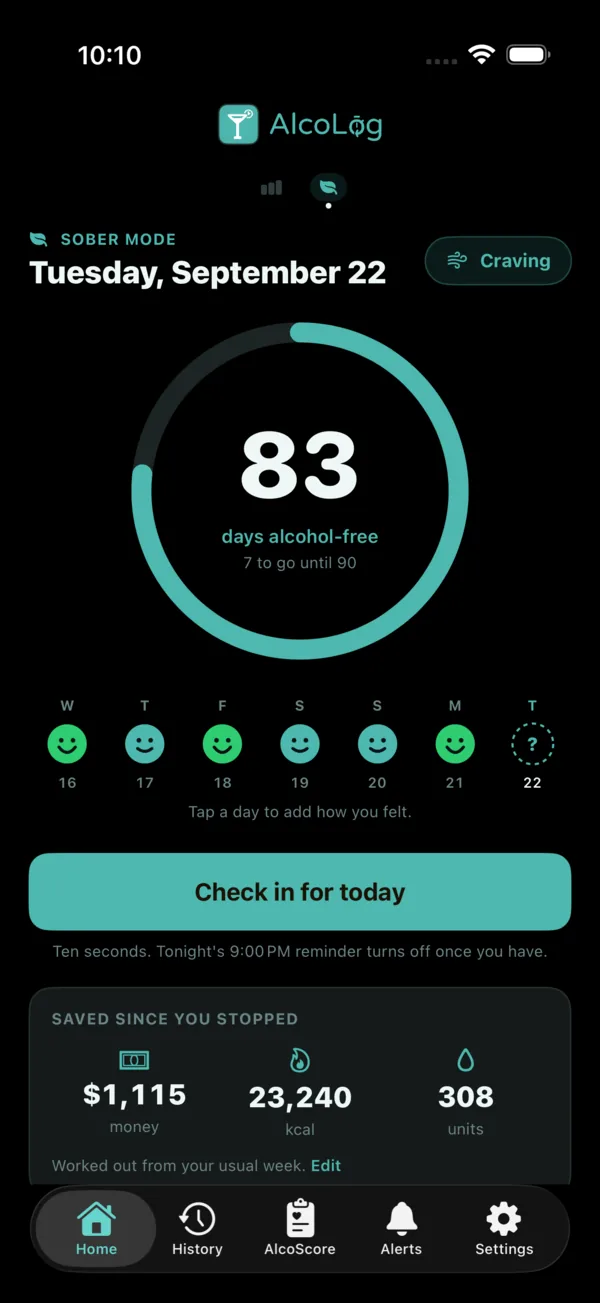
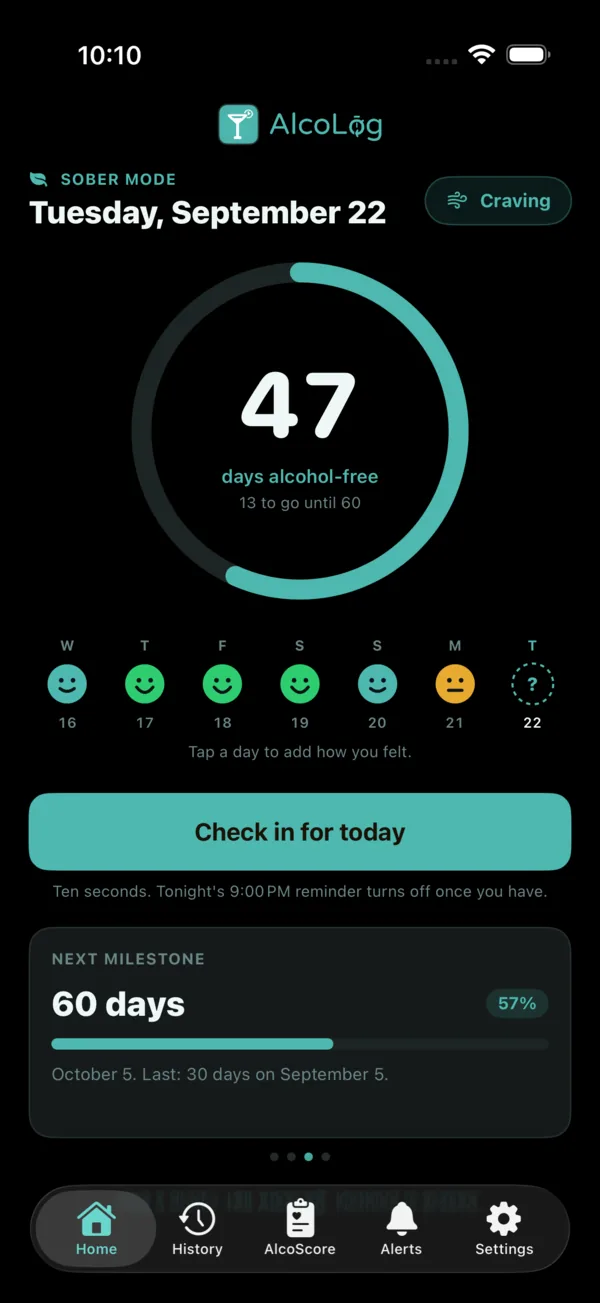
If your goal is to quit, AlcoLog can now count alcohol-free days instead of drinks. You get a day count on Home, a ten-second check-in each evening, milestones from day 1 to a year and beyond, and a calm way to log a slip that erases nothing. Sober Mode is free for everyone.
Turning it on, and off. Swipe the app’s home screen to switch into Sober Mode. AlcoLog asks when your last drink was and counts from the day after. Swipe back the same way to switch out. Drink logging pauses while Sober Mode is on and comes straight back when you turn it off, and every check-in, streak, note and day in your History stays exactly as it was.
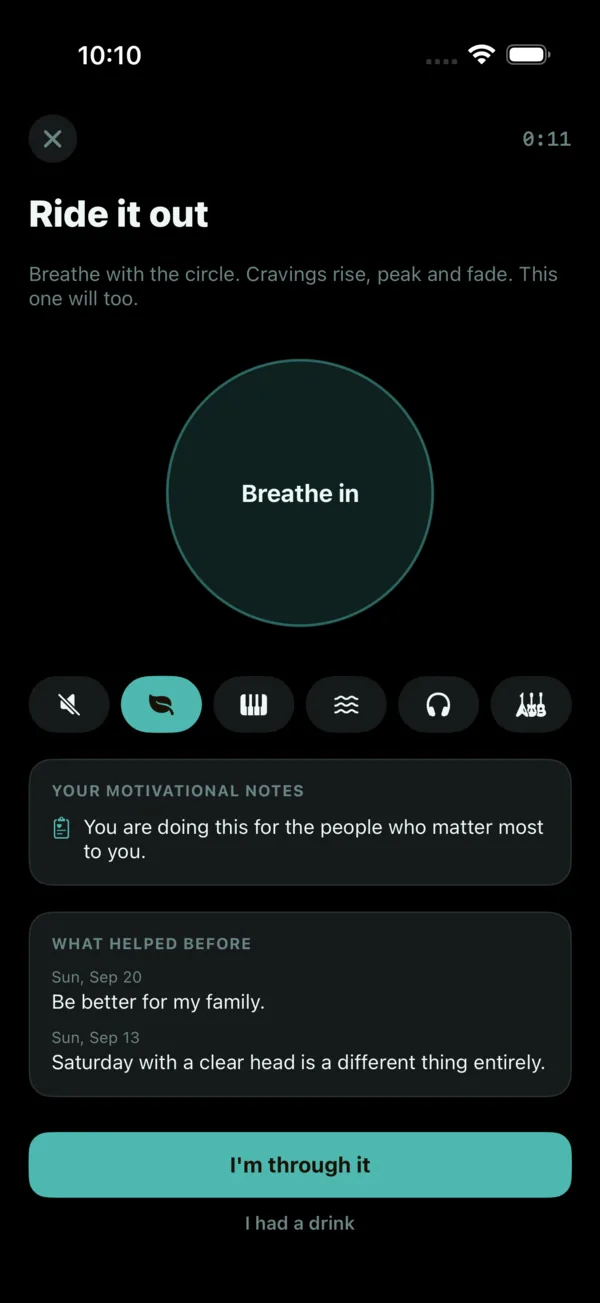
Ride out a craving. A Craving button sits at the top of the Sober home. It opens a breathing circle you can follow with your eyes or feel through the haptics, with five music loops to choose from, or silence. Each craving you ride out is logged in History.
See what you are saving. Money, calories and units you have not drunk since the day you stopped. AlcoLog works it out from your last 90 days of logging or, if you stopped before you found the app, from a description of your usual week. The prices are a suggestion, so you can correct them.
Alerts you control. The evening check-in, milestone celebrations and an optional morning pledge all sit under Alerts, and each one can be turned off. A line from your own motivational notes can also arrive an hour before your sessions used to start, on the days that used to be hardest.
Your days in History. In Sober Mode, tap any day in History to see that day’s check-in, the cravings you rode out and your notes in one place.
# Sober widgets and Apple Watch
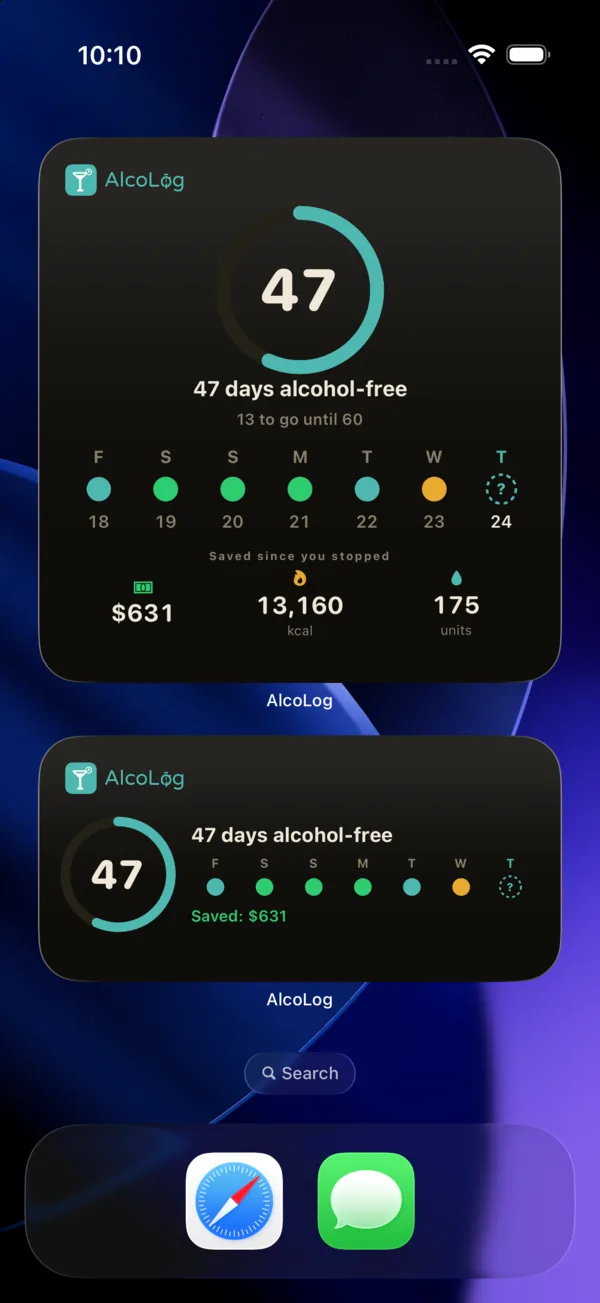
Three new widgets show your day count, your week and your next milestone, on the Home Screen and the Lock Screen. They are free.
On Apple Watch, Sober Mode brings the count, your week, the breathing screen and your motivational notes to your wrist. Sober Mode on Apple Watch is part of Premium.
# Your moods in Apple Health
How you felt at each evening check-in can be written to State of Mind in Apple Health. One Health permission now covers your drinks and your moods together, and whether your moods are shared with Health is your choice.
Apple Health also gets a truer count. Each drink now writes its real size in your country’s standard drinks instead of a flat 1, so a large glass of wine counts as more than a small beer. Editing or deleting a drink in a finished session updates or removes its Health samples to match.
# Any drink size you like
A Custom size chip on Add Drink, Edit Drink and Favorites takes any volume in ml or fl oz, and remembers it for next time. Thanks to AlcoLog user Iryna for suggesting it.
# Seven more languages
AlcoLog now speaks Japanese, Korean, Hindi, Indonesian, Italian, and Chinese in both Simplified and Traditional script. That makes fourteen languages in all, across the app, the widgets and Apple Watch, and this website is in all fourteen too.
# Also in this update
- If a scanned drink comes back with the wrong ABV, correct it before you log it. AlcoLog now remembers your figure the next time you scan that barcode.
- The keyboard’s Hide button was in English in every language. It is translated now.
# When you get it
On iPhone and Apple Watch, update AlcoLog from the App Store now. On Android and Wear OS, 2.0 arrives on Google Play in the first week of October, Sober Mode included. As always, your data stays on your device and there is no account to create.
Get AlcoLog for iPhone and Apple Watch →